 Skorby HomeAwtrix DisplayVideo OverlayWeb BoardHubContact Get the app →
 Skorby now scores football the way football is scored: goals that add up across two halves, a match clock that keeps running, extra time and a shootout when the cup demands it. Same free app, same web board and stream overlay, same post-match score video — pick Football and the board changes with you.
Volleyball counts sets. Football — soccer, if you're reading this in the US — counts goals and minutes. Switching sport swaps the scoring model underneath the board, not just the icon on the tab.
Kick off and the match clock starts. It doesn't pause for throw-ins or injuries — like the one at the ground, the referee adds the stoppage. The second half picks up where the first left off: 45:00, not 00:00.
Two halves of 45 is the default. Tap the chip under the clock to make it 2×40, 2×30 or 2×25 — anything from 5 to 60 minutes in 5-minute steps. Skorby remembers the format for the next match.
Knockout game? Switch on one or two extra-time periods and a penalty shootout in the same sheet — before kick-off or right after a full-time draw. The shootout score stays separate from the goals.
Every match is stored with a line per half, per extra-time period and for the shootout — 1:1 at half-time, 2:2 at full time, 4–2 on penalties. Export it as a score video for your match footage. Started a half late or tapped a goal for the wrong team? Correct it in the match editor before you export.
What you can fix →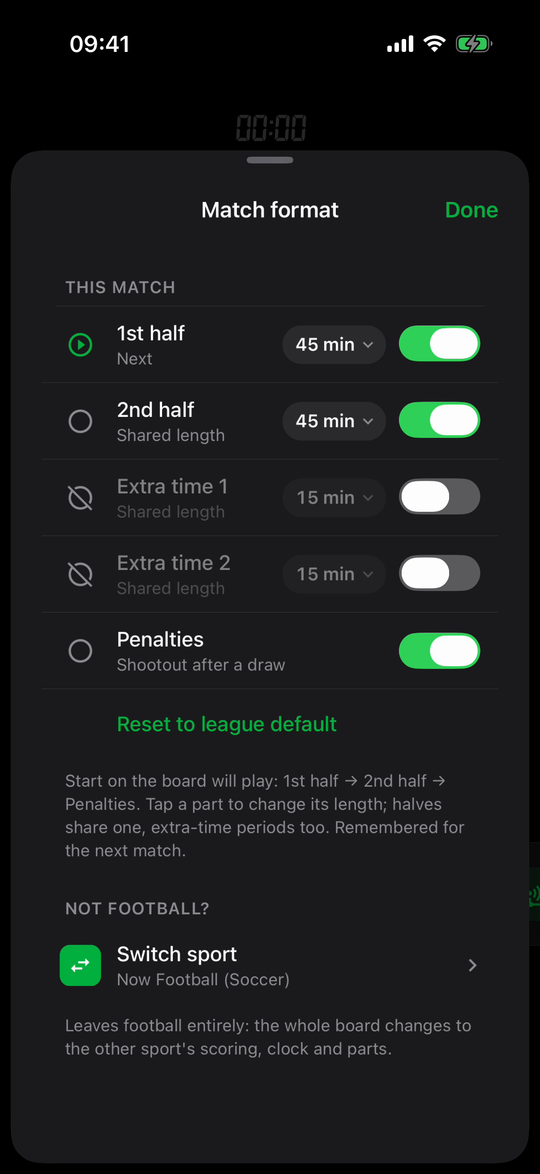
Everything football-specific lives behind one chip under the clock. It tells you what the next part is, and tapping it opens the match format.
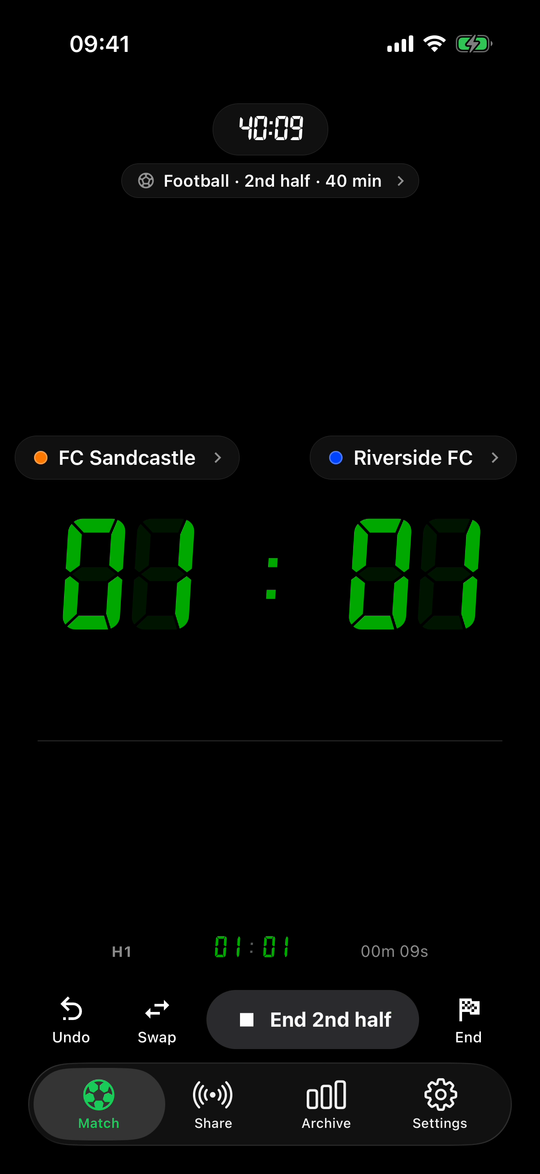
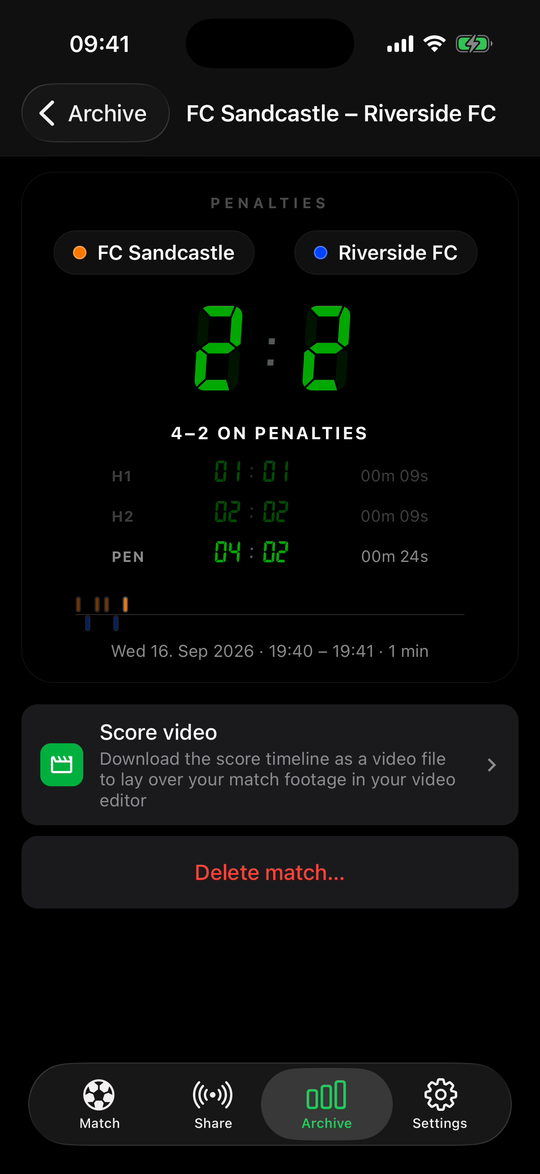
Between parts the board shows the score so far and a line per half. The second half starts at the end of the first: with 2×40 it kicks off at 40:00. When the match is over, End files it into the archive with every half, extra-time period and the shootout on its own line, ready for the score video.
How the score video works →Football gets its own overlay theme, and everything the web board and video overlay already do for volleyball works for football too.
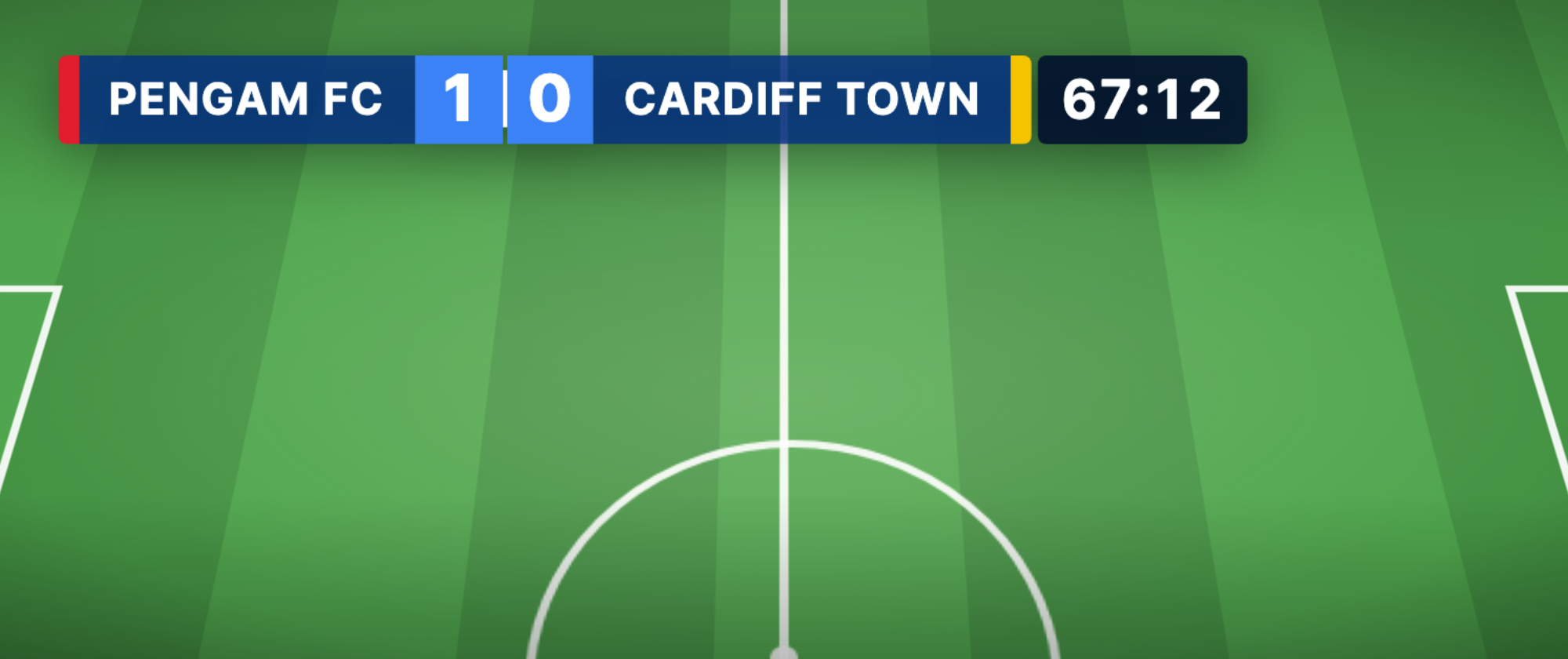
The Soccer Plain theme puts team, score and the running clock — minutes and seconds — in one broadcast bar. The look is yours to change: fill the bar from the team colours or pick every colour by hand, choose the font, round the corners, move the clock beside or below the bar, and leave room for team badges. Send the web board link to anyone with a browser, or drop the overlay URL into OBS, Streamlabs or Prism Live.
Filmed the match? Export the score timeline from the archive as a transparent video and lay it over your recording in iMovie, CapCut, DaVinci or Premiere. The clock and every goal land at the right second.
Football isn't a separate download. Switching sport changes the whole board — scoring, clock and parts — and switching back to volleyball takes two taps.
No. Football's clock runs from kick-off until you end the half; the board keeps counting past 45:00, and the web board and overlay run on with it — 47:15, seconds included — the way a broadcast clock does. Set-based sports in Skorby pause between sets; football doesn't.
Yes. Half length goes from 5 to 60 minutes in 5-minute steps, and extra-time periods from 5 to 30. Both halves share one length, and the format is remembered per sport for the next match.
Whatever you switch on. With extra time enabled, the button offers Start Extra time 1 after full time; with penalties enabled, Start Penalties. You can enable either one at full time if the match wasn't planned to need it.
Yes. The scoring app is free, football and soccer scoring included. The web board, the stream overlay and the post-match score video use our servers and cost a 24-hour event pass, the same as for volleyball.
Download Skorby, switch the sport to football, and the board is ready for kick-off. The app is free; the web board, overlay and score video cost a 24-hour event pass only on the days you use them.