 Skorby HomeAwtrix DisplayVideo OverlayWeb BoardHubContact Get the app →
 The Skorby app exposes the live score as a regular web page. Send the link to family on the other side of town, paste it onto the iPad at the scorer's table, open it on the venue's TV — same URL, every device. The score you tap on your phone updates everyone watching, set by set — or, for football, goal by goal with the match minute.
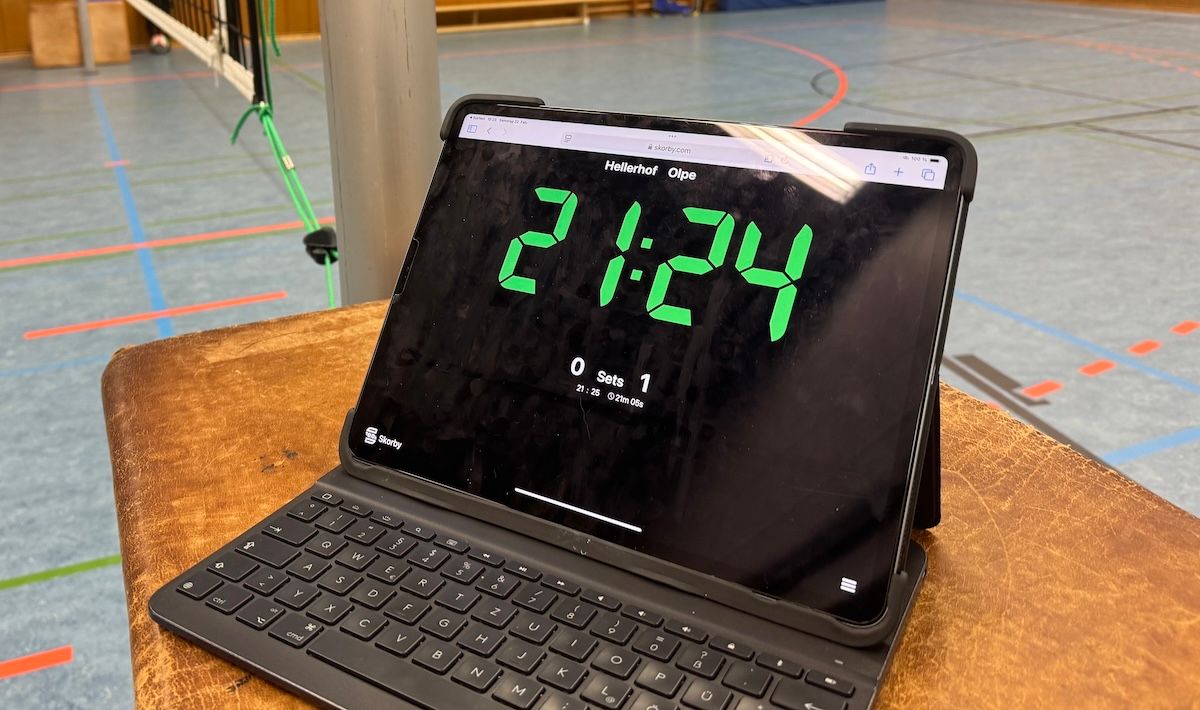
Anywhere with a browser. That's the point. The web board isn't a Skorby-specific device — it's a regular web URL that opens on whatever screen happens to be nearby.
Paste the link in a WhatsApp message. Family at home opens it, sees the score, watches the match come together set by set — no app to install, no account to create.
Open the link on the iPad at the scorer's table or on the venue's screen. Players walking past glance up and know exactly where they stand.
No LED display? A web board on any tablet, laptop or TV is the next best thing. Same live score, same hand on your phone — different glass.
The same engine that powers the web board also drives the OBS / Streamlabs / PrismLive overlay. Style it once, use it everywhere.
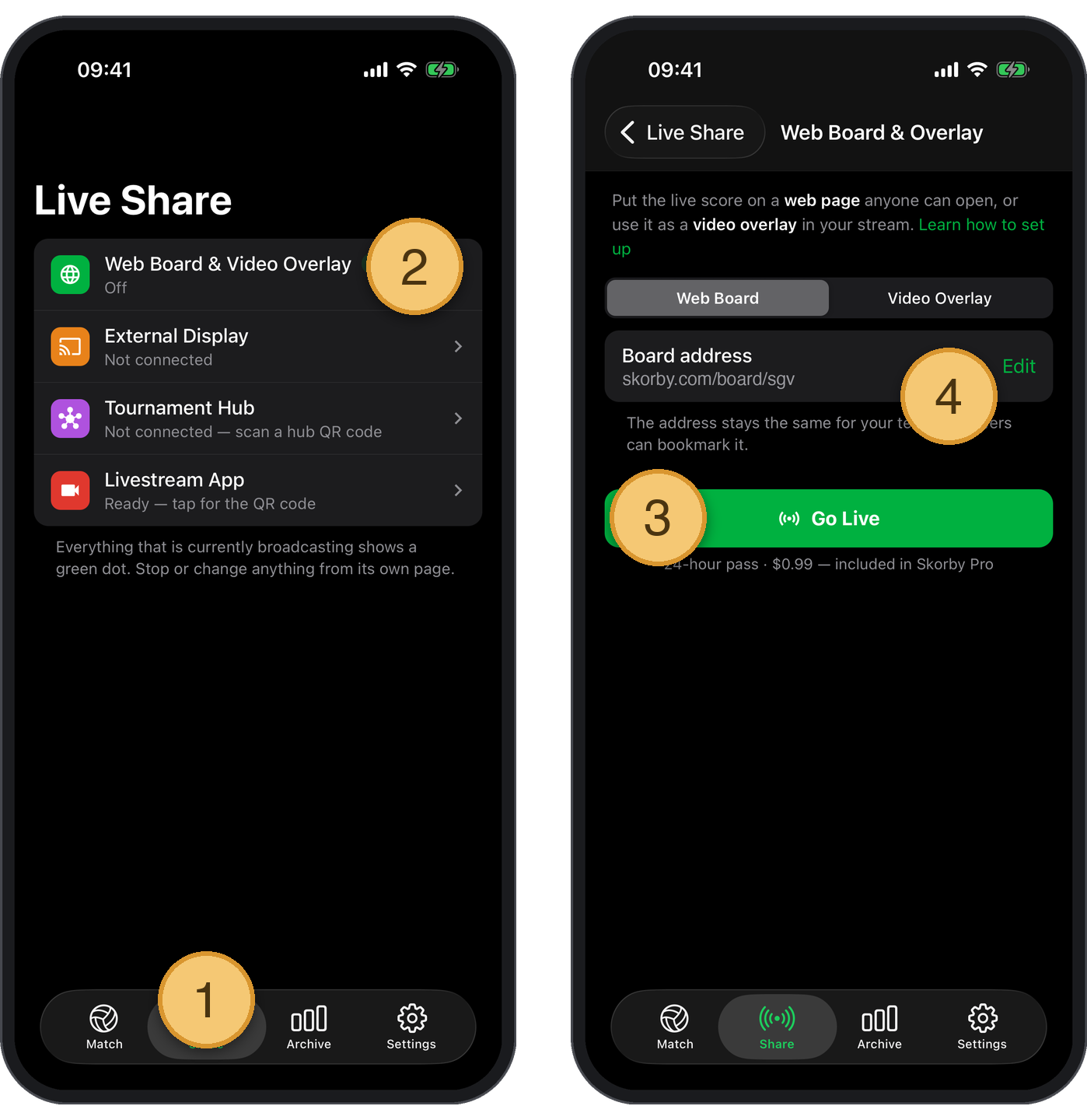
The web board lives at a unique URL the Skorby app generates for you. Activating the 24-hour event pass unlocks the URL; once it's copied, every browser-capable device can open it.
Same data, different glass. A scoreboard on a venue TV wants different chrome than the same scoreboard riding shotgun on a livestream — and the customise menu lets the same URL do both.
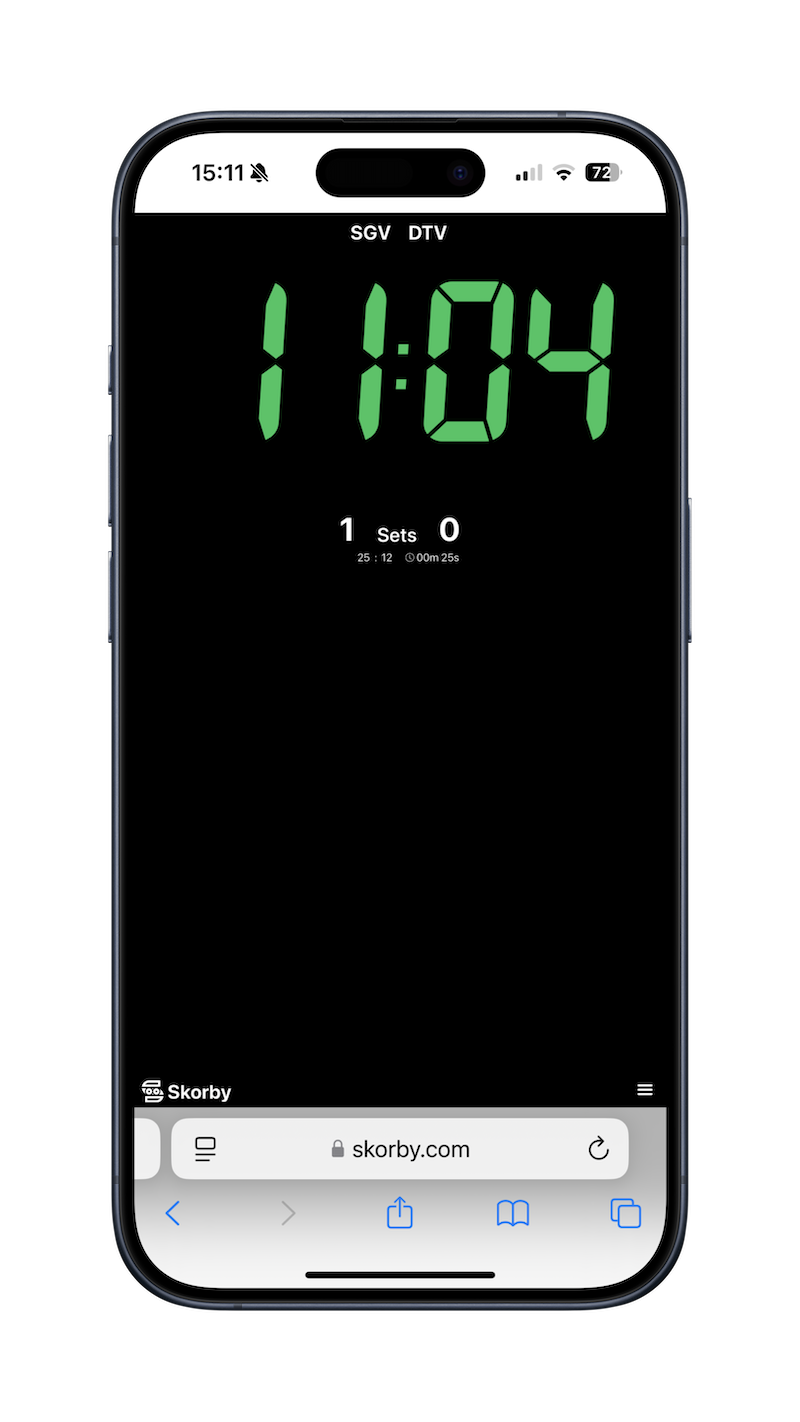
Built-in themes range from broadcast black to brand-coloured Skorby green. Choose what matches the venue, the team, or the streaming scene.
For screens you want viewers to read (TVs, iPads at the scorer's table), strip the controls so just the score remains.
Flip a toggle and the same URL becomes a transparent video overlay — drop it into OBS, Streamlabs or PrismLive without changing anything else.
Download Skorby, score a match, hand a link to anyone watching. The 24-hour event pass costs less than a coffee at the venue and only burns on days you actually use it.