 Skorby HomeAwtrix DisplayVideo OverlayWeb BoardHubContact Get the app →
 Skorby no longer needs you at the touchline. Open your match recording on any screen, pick a speed in the app and score along as if it were live — only faster. Slips get fixed in the match editor, and the score video is rendered from the corrected match: never re-shot, never re-typed.
Play, fix, export. The score you tap is an editable match log, so whatever you get wrong at speed is corrected in the archive, and the video is rendered from the corrected match.
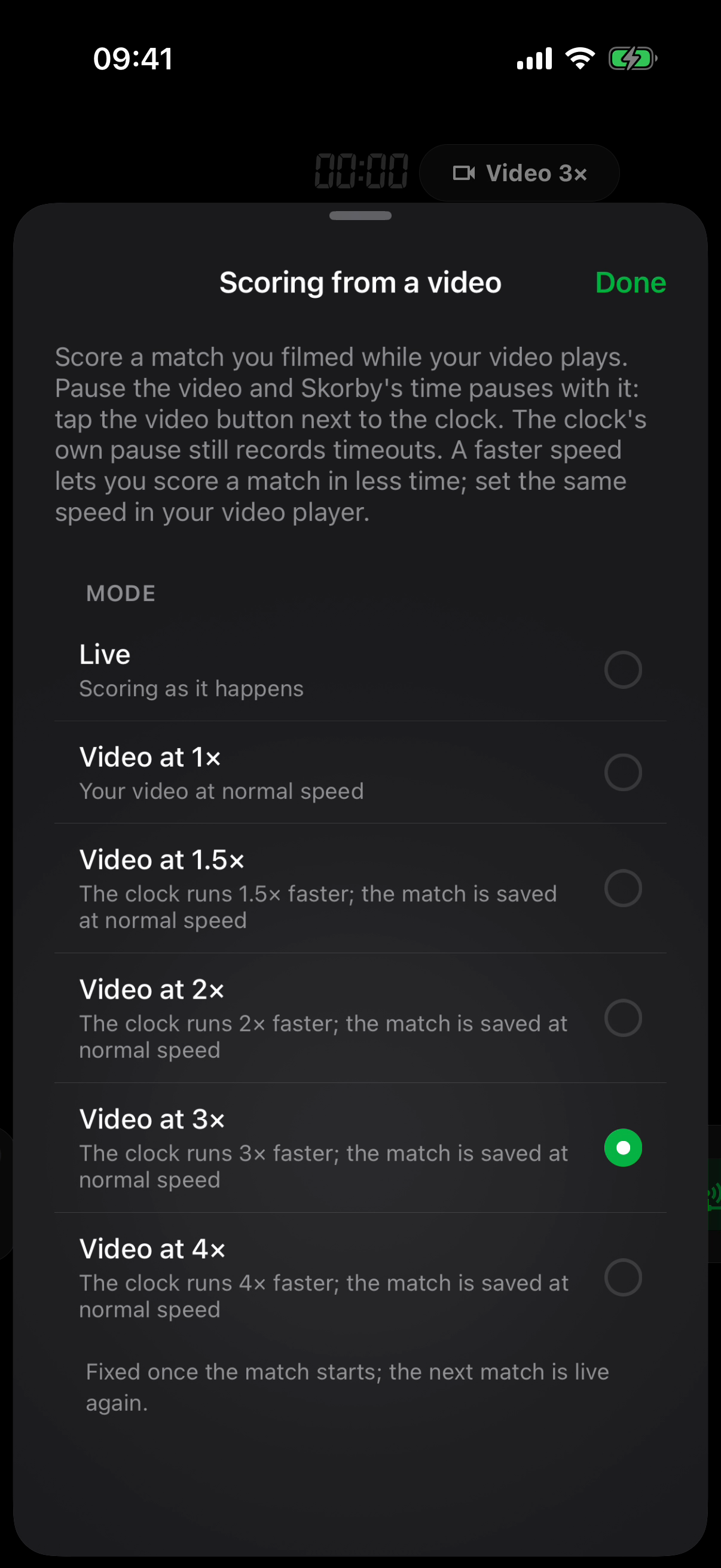
Your footage plays on your laptop, TV or inside your video editor. Skorby runs beside it at the same speed, so ninety minutes of football take half an hour to score at 3× — a volleyball match less. Skip the half-time in the footage and set the break's length afterwards.
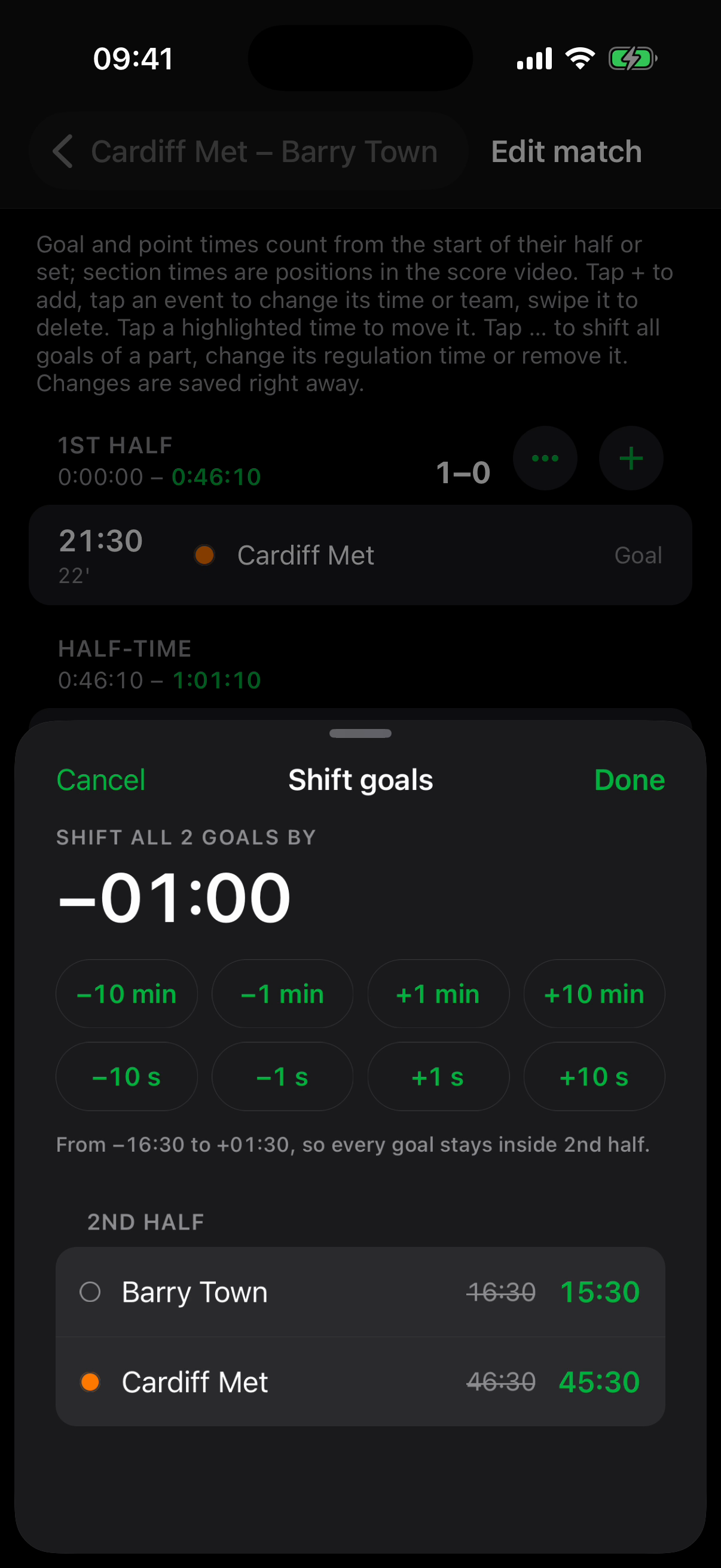
Started the clock late, tapped a goal for the wrong team, jumped over the half-time? Nothing is burned in. The match is a list of halves or sets with their goals and points, and every one of them can be moved. Everything you can fix ↓
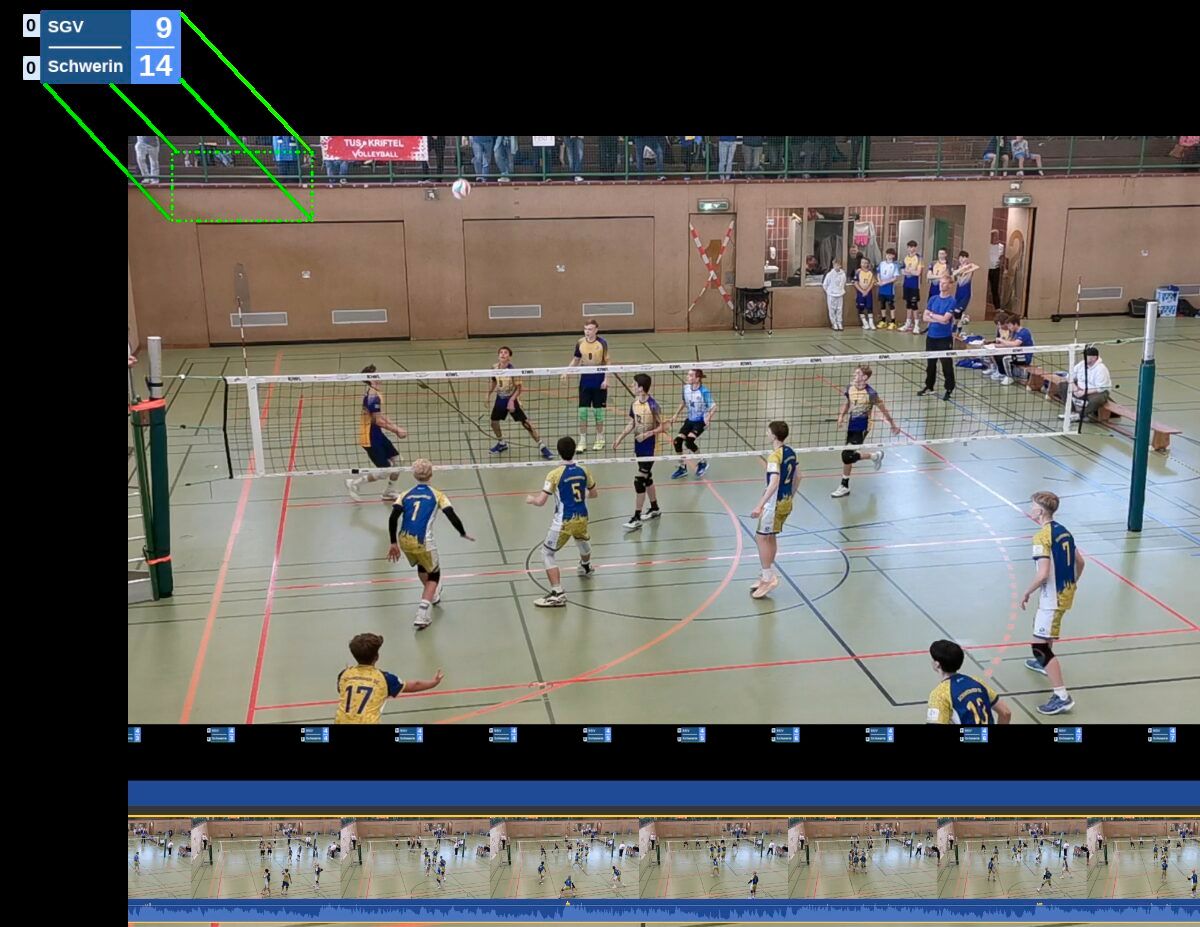
Open the archived match and tap Score video. Skorby renders the corrected match as a transparent video at normal speed, matched to the length of the match. Snap it to your first point in iMovie, CapCut, DaVinci or Premiere — the step-by-step editor tutorials live on the Offline Video page.
Scoring and editing are free. Exporting the score video uses our servers — a 24-hour pass, like the live overlay.
Edited after exporting? The video you have stays and is marked as older than your edits; export again when the match is right.
The editor is free and works on any archived match — scored live, scored from a recording, or both. Changes are saved as you go; scores, set results and the match result update themselves.
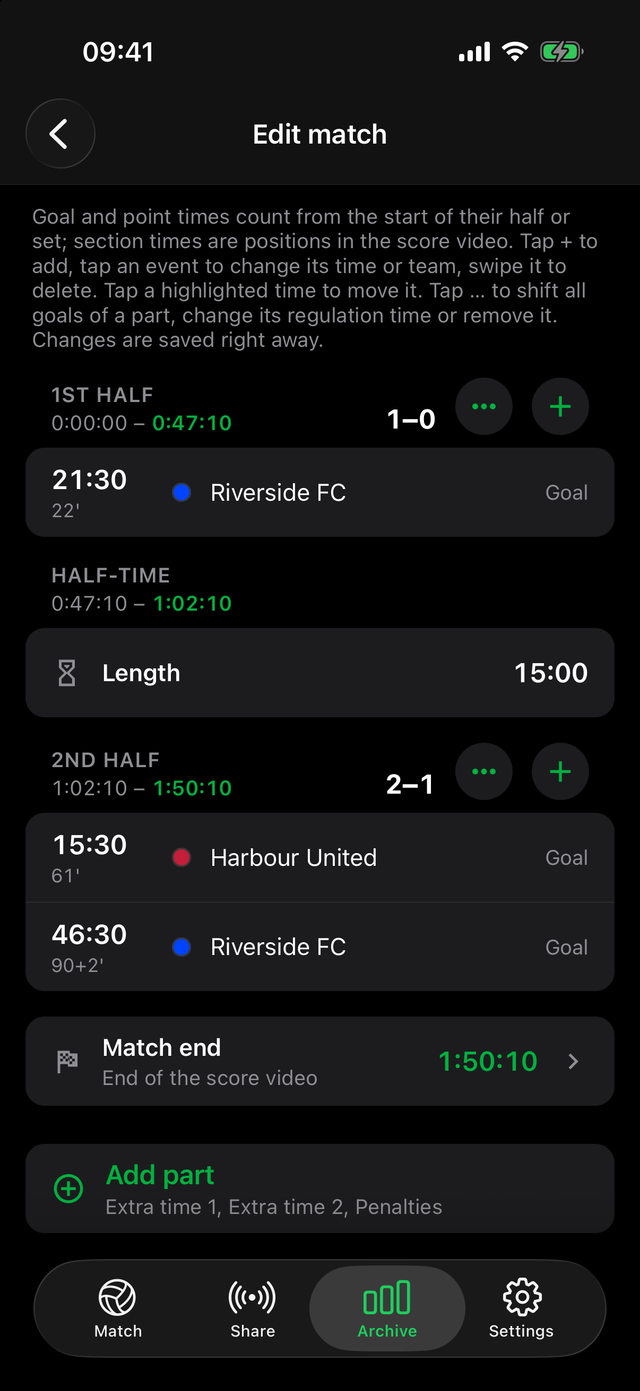
Times in the editor are the time since the half or set started, with the match minute beside them for football; section ends are edited by their length. Changing the sport of an archived match is not possible, and the editor does not enforce sport rules — your real result counts.
Four things that keep the overlay on the footage. None of them is clever; all of them matter.
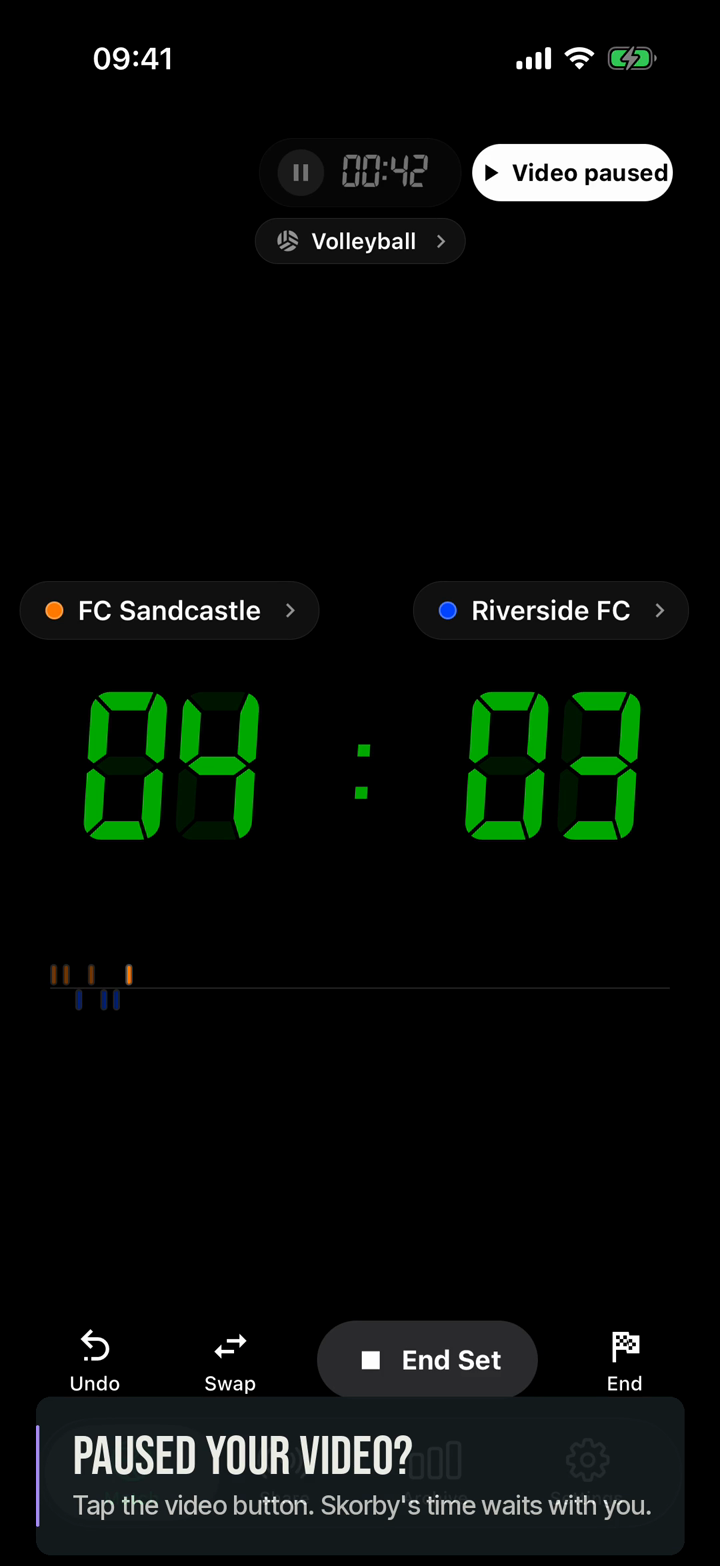
Pick the speed your player really offers and stay on it; the speed is locked once the match runs. If footage and board drift apart, pause both and resume together.
Paused your recording? Tap the video button beside the clock: it freezes Skorby's time and leaves no trace in the match. Tap it again when the footage plays on.
Tap it at the referee's signal. That frame is where you snap the overlay in your editor; a constant reaction delay is one slide of the clip.
Everything on this page is a recording of Skorby on a phone. Your match plays on your other screen — Skorby never plays or uploads your footage.
Yes. Scoring from a video needs the recording and the app, not the touchline. Before the first Start, open the sport chip's sheet, choose Scoring from a video? and a speed, play the footage at the same speed and score along. The archived match carries Recorded at 3× so you can tell it from a live one, and it exports like any other match. For football there is a second route: Start and End a match, then build the halves and goals in the match editor. Scoring and editing are free; exporting the score video uses a 24-hour pass.
Yes. Skorby's clock runs at the speed you chose, so when your footage shows the 61st minute, so does the board, and a goal is stamped at 61'. The exported score video plays at normal speed with the real times. Your own reaction delay is multiplied by the speed — roughly a second at 3× — but it is constant, so you remove it by sliding the overlay once in your editor.
Pause Skorby with it: the video button beside the clock freezes the app's time and the clock dims; tap it again when the footage resumes. If you forgot, or jumped over the half-time, fix it afterwards in the match editor — set the break's length, move the goals that landed late, or shift all goals of a half together. A gap inside a half can't be inserted; you move the goals instead.
Every edit is saved immediately and there is no step-by-step undo. Instead, Revert to recorded is always available on the match: it restores the match exactly as it was scored and drops every edit. A video you already exported stays and is marked as older than your edits until you export again.
Download Skorby, open your recording, pick a speed. Scoring and editing are free; the score video uses a 24-hour pass only on the day you export it.